Winees camera Quick Start Guide
Winees camera Quick Start Guide
- Download the AiDot APP and sign in or create an account.

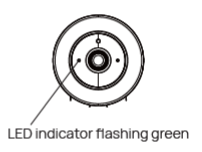
- Connect the camera to a power outlet and wait for the green flashing light with “Waiting for Wi-Fi configuration” audio.
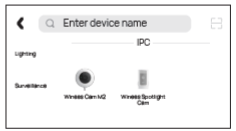
- In the AiDot app, press ‘add devices”, select Wines Cam M2 in surve alliance, and follow the instructions on App.
- Place the device in the area where you plan to install it to test the video quality and ensure that the camera can work normally after the final install
https://itsmanual.com/
Comments
Post a Comment